
What VINELink Covers in Scott County
Mississippi SAVIN/VINE watches electronic booking files for changes. A change becomes a lookup result or an alert. State guidance says county and state offenders can appear. The event list is broad. Transfer, rehousing, temporary movement, return to custody, escape, and release all count as events. Scott County participation is unresolved. Pick Mississippi and Scott County in the live search, then confirm anything unclear with the jail at 601-469-1511.
How to Check Scott County Custody
Search the live service without guessing an identifier format.
- Open VINELink and choose Mississippi.
- Select Scott County if the interface offers a county filter.
- Enter the person's name or the identifier requested on screen.
- Compare all displayed identity fields when several names match.
- Read facility, status, agency, and last-change details exactly as shown.
- Record the retrieval date and call the jail when the result conflicts with other information.
The interface is shown here without reproducing any identified person's record.
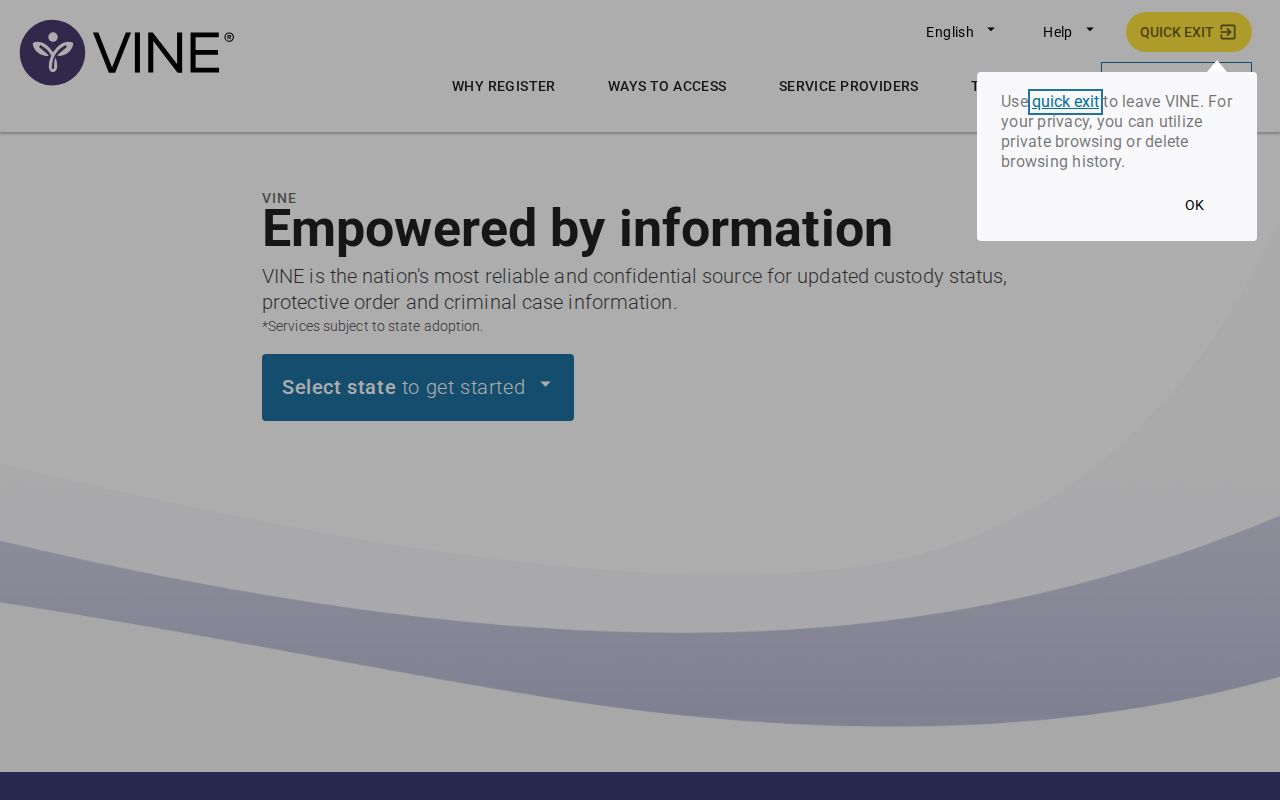
The capture shows the official search starting point used to test Scott County availability.
What VINELink Shows After a Scott Arrest
Fields vary with the source and the current screen.
| Field | Meaning |
|---|---|
| Name or identifier | An identity aid, not proof from a name alone. |
| Custody status | The latest status sent by the participating system. |
| Facility or agency | The reported custodian at that update. |
| Last change | A timestamp or event detail when displayed. |
| Notification control | The path to register for future changes. |
| Photo or charge | May be absent; VINE is not a complete booking record. |
Register for Mississippi Custody Alerts
Registration is anonymous; the live form sets contact options.
- Open the matching custody result.
- Choose “Get Notified” or the current equivalent.
- Select an offered phone, email, text, or language option.
- Create a PIN if requested and keep it private.
- Confirm the registration as the screen directs.
- Save the details needed to update or cancel the alert.
For live help, MS SAVIN lists 601-359-5759 during business hours and a 24-hour line at 1-888-9-MSSAVIN. TTY support is 866-847-1298. Repeat updates can arrive when a file changes twice.
Scott County VINELink Limits and Verification
A blank screen proves little. A fresh booking can post before VINE updates. Scott County's feed status is unconfirmed. Check Scott County Arrests Last 24 Hours and call the jail when timing matters. VINE resolves no court disposition. It also skips warrant validity, expungement, and some local charges. Federal custody is separate, with BOP, ICE, and the U.S. Marshals Service running their own systems.
Scott County Alerts After an MDOC Transfer
Mississippi SAVIN describes a Registration Link that can carry a county alert into MDOC custody after a felony conviction. The registrant then gets a notice. That explains a puzzle many families hit. Someone drops off a county roster and later shows up under MDOC. Not every Scott County booking is enrolled, though. Test the live result and confirm with the custodian.
Custody Status Is Not Guilt
Every VINE event is just a custody-file change. Transfer, release, or return says nothing about how the charge stands. The court record holds that answer.
How Mississippi SAVIN Events Work
Every VINE notice starts with a change to an electronic custody file. Mississippi counts transfer, rehousing, temporary movement, return to custody, escape, and release as events. Staff can update a file more than once. Repeat alerts often follow. So read the newest notice with its timestamp and event label. It is not a full timeline.
Release is a custody event, not a ruling. Transfer can mean movement inside the correctional system. Temporary movement might involve court, treatment, or another operational reason the notice never explains. Wording can be vague. MS SAVIN recommends confirming with its office or the holding agency. The court remains the source for how a charge ends.
Anyone can register. Victims, relatives, friends, schools, service providers, and legal-system users all use the service. Never sign up someone else's phone or email without control of it. Guard your PIN and confirmation data too. You may need them to manage the alert.
When Scott County Does Not Appear
Start with the selector. If Scott County is missing, don't pick a Scott County from another state. If the county shows but the person doesn't, check spelling and stick to the fields the interface provides. Don't assume release. The booking may be too fresh. The jail may not feed the service, the data may sit under review, or another custodian may hold the person.
Call Scott County Jail at 601-469-1511 for county custody. State custody? Use MDOC's name or ID search. The Bureau of Prisons locator covers federal sentences, ICE handles immigration detention, and the Marshals Service may hold federal pretrial defendants. Mississippi SAVIN replaces none of these.
Older arrests need another route. Request the booking sheet or consult the court. VINE may drop a result after custody changes, since it exists for status and notices rather than for rebuilding every charge, photo, court event, or past jail stay.
Managing Scott County Custody Notifications
Pick a contact channel that can actually take an urgent message. A phone line works if someone will answer it. Email and text options depend on what the live service offers at that moment. Telephone registration may also ask for a PIN to confirm you received the call. The official Mississippi page supports both web and phone sign-up. It promises no fixed form layout, though. Whatever the current screen instructs is what governs. Keep your confirmation details handy in case the system asks for them later.
Treat any alert as one layer, not the whole plan. Automated notices can lag behind real events. A number or address on file can change without much warning. Frequent edits to a record can even trigger duplicate messages. For a genuine emergency, contact law enforcement directly. Registration problems and notice problems go to the SAVIN support numbers. A Scott County custody notification is valuable because it adds awareness. It does not replace direct planning or agency confirmation.
Know that the sheriff's own app is a separate tool. Its public descriptions emphasize agency news, tips, and general communication. Nothing there establishes a Scott County booking-photo or roster alert. For a custody-change registration on Scott County arrests, VINELink is the stronger fit. That holds when the live result supports it.
Check every notice against the newest agency information. Note the event time and facility label. A transfer or release description may be unclear. Ask which office sent it. That small audit trail separates a repeated automated message from a truly new custody event.